Blog

  • The Vulnpocalypse: Is AI Just the World’s Meanest Code Review?

    The Vulnpocalypse: Is AI Just the World’s Meanest Code Review?

    The moment the headlines dropped about Anthropic’s research into AI-driven vulnerability discovery, a collective chill ran down the spine of the internet. The machines are coming! They’re reading our private repos! It’s the vulnpocalypse! But after reading the paper, the reality is something far more familiar, and frankly, more humiliating. This wasn’t Skynet achieving sentience; it was the manifestation of the world’s most pedantic, passive-aggressive, and infinitely patient QA engineer. The AI isn’t a superweapon; it’s a tool that finally found every single ‘//TODO: fix this later’ comment you left in the code since 2015.

    Meet Your New QA Overlord

    The researchers didn’t create a digital ghost that invents zero-days from pure logic. They trained a model to do what a determined-but-underpaid intern does: read the manual. It methodically scours documentation, connects disparate pieces of information, and tests for known vulnerability classes with a relentless enthusiasm that can’t be dampened by lukewarm coffee or a looming sprint deadline. It’s not thinking; it’s pattern-matching at a scale that would make a human auditor weep. It found a critical vulnerability in a Python package not through creative genius, but because it was the only one willing to read all 84 pages of the obscure library’s documentation.

    The Ghost of Comments Past

    This is where the true terror lies. The AI is a mirror reflecting our own technical debt back at us. It represents the logical conclusion of every shortcut, every temporary fix, and every ‘we’ll circle back to this’ that became a permanent part of the production environment. Its primary skill isn’t hacking—it’s industrial-scale nagging. Imagine a system that can:

    • Cross-reference a vague comment you wrote at 3 AM with a seven-year-old Stack Overflow post to expose a flaw.
    • Generate a perfectly formatted Jira ticket, complete with reproduction steps, before you’ve even finished your morning stand-up.
    • Never, ever accept ‘it works on my machine’ as a valid excuse.

    The AI isn’t the attacker; it’s the ultimate accomplice for the ghosts of projects past. It just gave them a megaphone.

    What AI Cybersecurity Threats in 2026 Really Look Like

    So, what does this mean for the future of AI cybersecurity threats in 2026? Forget cinematic hackers in hoodies. The future is an unmanageable backlog. The real threat isn’t one super-vuln that brings down the world, but millions of mundane, garden-variety vulnerabilities being discovered and weaponized at the speed of light. The ‘vulnpocalypse’ won’t be an explosion; it’ll be a flood of automated pull requests and critical-severity alerts that drowns every security team on the planet. The most effective defense, it turns out, is to finally start cleaning up our own messes. Now if you’ll excuse me, I have a few thousand lines of code to grep for the word ‘FIXME’.

  • Gold-Plated Scope Creep: How to Manage Your Project’s Triumphal Arch

    Gold-Plated Scope Creep: How to Manage Your Project’s Triumphal Arch

    Imagine the initial project meeting. “Let’s build a nice arch,” someone says. Everyone nods. Simple, elegant, achievable. Fast-forward six months, and the project charter now includes 250-foot columns, solid gold accents, and a laser light show that spells out “VICTORY” in the clouds. This, my friends, is scope creep in its most majestic, monumentally misguided form. It’s the process by which a perfectly reasonable task slowly inflates into an Arc de Trump—a project so overwrought it collapses under the weight of its own features.

    So, What is ‘Scope Creep,’ Anyway?

    Scope creep is the technical term for when a project’s requirements quietly expand beyond what was originally agreed upon. It’s never a single, dramatic event. It’s a series of seemingly harmless additions. It starts with, “Can we just make the logo a little bigger?” and ends with, “While you’re in there, can you make the contact form automatically file our taxes and order us a pizza?” Each tiny change is a new brick in your triumphal arch, and before you know it, you’re way over budget and hopelessly behind schedule.

    The Siren Song of the Golden Arch: Why It Happens

    No one sets out to build a monstrosity. Scope creep is usually born from the best of intentions, which makes it so tricky to wrangle. Here are the usual culprits:

    • The Enthusiastic Stakeholder: They just had a brilliant idea in the shower! Wouldn’t it be cool if the arch also functioned as a water slide? They just want to help, but their brilliant ideas often ignore the timeline and budget.
    • Vague Initial Requirements: If the original plan was just a doodle on a napkin that said “Build Arch Here,” you can’t blame people for filling in the blanks with their own golden-gilded dreams.
    • Lack of a Gatekeeper: When anyone can walk up to the development team and request a new feature, chaos ensues. It’s like letting tourists give architectural advice to your construction crew.

    How to Build a Sensible Monument (and Manage Scope Creep)

    Avoiding a 250-foot folly doesn’t require a miracle; it just requires a plan. Here’s how to keep your project from becoming a cautionary tale.

    • Start with a Rock-Solid Blueprint: Before a single line of code is written, have a detailed scope statement. Define what the project *is* and, just as crucially, what it *is not*. This document is your shield against the dreaded phrase, “Can you just add one more thing?”
    • Appoint an Official Arch-itect: There must be one person (a project manager or product owner) who has the final say. All change requests, no matter how small, must go through them. This person’s job is to protect the timeline and budget from well-meaning suggestions.
    • Create a Formal Change Request Process: Want to add a new feature? Great! Submit a change request form. This forces stakeholders to justify the addition, consider its impact on resources, and get formal approval. It turns a casual “wouldn’t it be cool if…” into a deliberate business decision.
    • Communicate Relentlessly: Hold regular check-ins and demos. When everyone can see the sensible, functional arch you’re building on time and on budget, they’re less likely to demand you dip it in bronze at the last minute.

    At the end of the day, you don’t need a gold-plated monument to have a successful project. A well-designed system delivered on schedule is its own kind of triumph—no lasers required.

  • I Lost My Mines: A Coder’s Guide to Auditing Legacy Code

    I Lost My Mines: A Coder’s Guide to Auditing Legacy Code

    You may have heard the story. A major global power, with all its satellites, sonar, and spreadsheets, managed to lose track of several high-explosive naval mines in one of its own critical shipping lanes. It’s a spectacular, albeit terrifying, failure of asset management. And as I read this, I didn’t feel superiority; I felt a deep, spiritual kinship. Because if they can lose a mine, I can absolutely lose the one script that secretly runs payroll in a repo from 2019 named `temp_fix_dont_delete`.

    This is the soul of legacy code. It’s a digital minefield, laid down by well-intentioned engineers (often, a younger version of you) who swore they’d come back and clean it up later. They never did. Now, you have to go in. But don’t just run in blindly. You need a plan, a steady hand, and a healthy fear of what `misc_utils.js` actually does.

    Your Mine-Sweeping Toolkit: Legacy Code Audit Best Practices

    Auditing legacy code isn’t a bug hunt; it’s an archaeological expedition where the artifacts might explode. Here’s how to approach it without losing a limb, or your sanity.

    • Step 1: Map the Minefield (Code Cartography). Before you write a single new line, you need a map. Use tools to generate dependency graphs, visualize database schemas, and trace function calls. Understand the major landmasses (`/users`, `/auth`) and the treacherous, uncharted waters (`/api/v2/doTheThing_final`). Your goal isn’t to understand every line, but to know where the dragons (and hard-coded API keys) be.
    • Step 2: Assemble the Bomb Squad (Identify Stakeholders). You are not alone. Find the ‘Old Guard’—the engineers who were there when the code was written. Their memories, however hazy, are invaluable. They’re the ones who can tell you, “Oh yeah, don’t touch that. It controls the office coffee machine for reasons no one remembers.” Also, bring in your security team. They love finding things that look like unexploded ordnance.
    • Step 3: The Slow, Careful Sweep (The Actual Audit). This is the manual part. Go file by file, looking for common red flags: environment variables committed directly to the repo, commented-out code blocks with cryptic warnings, dependencies on libraries that were last updated during the Obama administration, and functions that are 1,000 lines long. Document everything you find. Don’t try to fix it yet. Your job is to tag, not to disarm.
    • Step 4: Tag, Bag, and Prioritize. You now have a list of horrors. It’s time for triage. Is this a critical security vulnerability (a live mine in a shipping lane) or just some horribly inefficient code (a rusty, probably inert mine on a forgotten beach)? Use a ticketing system to log each issue, estimate its risk, and prioritize the work. The goal is to make the system safer and more maintainable, one ticket at a time.

    Losing track of things is a fundamentally human problem, scaled up by technology. The navy eventually found its mines. You will eventually find that rogue cron job. The process of auditing legacy code isn’t glamorous, but it’s essential work. It’s about turning a dangerous, unknown territory back into a stable, productive asset. And who knows, you might even find that the weird `temp_fix` script was actually a work of genius. Probably not, but you might.

  • Peace Talks: Diplomatic Lessons for Your Next Daily Standup

    Peace Talks: Diplomatic Lessons for Your Next Daily Standup

    The air in the daily standup is thick with a tension you could slice with a stale croissant. A developer mutters, “no blockers,” but their eyes tell a different story—a story of broken dependencies, merge conflicts, and a simmering feud with the backend team. This isn’t a status update; it’s the Yalta Conference, and the fate of the sprint hangs in the balance. Before you declare a cold war over a failing API endpoint, consider that the tools of high-stakes international diplomacy might just save your release cycle.

    The Back-Channel Briefing

    Ambassadors don’t just show up to the UN and start debating resolutions cold. There are hushed conversations in hallways, pre-meetings over coffee, and carefully worded memos. Why should your sprint be any different? Instead of publicly declaring that Bob’s database migration is holding up the entire free world, send a private Slack message first. The “Hey, can I grab you for 5 mins after standup?” is the modern equivalent of a secret envoy. It prevents public ambushes and turns a potential confrontation into a collaborative huddle.

    Identify the Non-Aggression Pact

    At the end of the day, even the most adversarial nations generally agree that global thermonuclear war is, to use a technical term, a ‘sub-optimal outcome.’ Your team has a similar shared goal: shipping a functional product without being paged on a Saturday. When a conflict arises, re-frame it around this shared objective. It’s not “your code broke my feature”; it’s “we have an integration issue that’s preventing us from hitting our sprint goal.” This transforms the dynamic from finger-pointing to a united front against the true enemy: the JIRA ticket.

    Speak in Neutral-Zone English

    Diplomats are masters of sanitized language. A catastrophic negotiation isn’t a disaster; it’s a “frank and candid exchange of views.” Apply this principle to your blockers. Instead of saying, “The authentication service is a complete dumpster fire and it’s impossible to work with,” try a more neutral approach: “I’m encountering an unexpected 401 response from the auth service. I’ve tried X and Y, and I’d like to pair with whoever has the most context on it.” You’re not accusing a service (or its creator) of crimes against engineering; you’re stating an observation and requesting assistance. It removes the blame and focuses on the technical facts.

    Master the Strategic Adjournment

    When peace talks stall on a particularly thorny issue, they don’t just sit there staring at each other until someone gives in. They table the discussion. They form a subcommittee. They “adjourn for further consultation.” This is the sacred art of the “Let’s take this offline.” The standup is for reporting the state of the union, not for live-debugging a complex problem with twelve people watching. Acknowledge the blocker, identify the two or three key people needed to solve it, and let everyone else get back to their day. You’ve just formed a special working group, you diplomatic genius.

    Ultimately, your team isn’t negotiating nuclear treaties. But a poorly handled dependency can feel just as explosive. By applying a little diplomatic tact, you can transform your daily standup from a field of potential conflict into a genuinely productive and collaborative ritual. The goal is shipping code, not escalating sanctions.

  • Another Messaging App? Tech’s Unshakable Obsession with Reinventing the Chat Bubble

    Another Messaging App? Tech’s Unshakable Obsession with Reinventing the Chat Bubble

    In a move that surprised approximately no one who has ever worked in tech, X (the platform formerly known as the one with the bird) is reportedly building yet another messaging app. It’s a tale as old as time, or at least as old as dial-up. A large tech company, faced with the existential question of “what now?” arrives at the same answer it did last quarter: “What if we made it easier for people to send little messages to each other, but this time… with our logo on it?”

    This isn’t a failure of imagination. It’s a feature. The tech world, for all its talk of disruption and paradigm shifts, has an unshakable love for building the same three applications over and over again. It’s the industry’s comfort food.

    The Holy Trinity of ‘New’ Ideas

    If you were to peek into the development sprints of half the companies in Silicon Valley, you’d likely find one of these three projects on a whiteboard, presented as a revolutionary concept:

    • The Messaging App: The undisputed champion. It’s simple, it’s complex, it drives “engagement,” and it gives a new product manager something to manage. It’s the “Hello, World!” of shipping a commercial product.
    • The To-Do List: Because humanity has clearly not yet perfected the art of writing down a task and then checking it off. This time, we’ll add AI, blockchain, and maybe some confetti when you complete a task. Revolutionary.
    • The Slack/Teams/Discord Clone: Often disguised as a “next-gen collaborative workspace,” this is for when a simple messaging app isn’t enough to justify the budget. It’s a chat app that has been to business school.

    The ‘Hello, World!’ Industrial Complex

    Why does this happen? Because building a chat app is a known quantity. It’s a complex problem with a well-documented solution. It feels productive. It’s the corporate equivalent of tidying your desk when you should be doing your taxes. You’re busy, you’re creating things, and you’re successfully avoiding the terrifyingly difficult task of inventing something genuinely new.

    It’s a systemic quirk, a piece of bureaucratic logic that says, “Shipping something is better than shipping nothing, and a chat app is definitely *something*.” The result is a digital landscape littered with the ghosts of messaging apps past, each a monument to a quarterly goal that was successfully met.

    A Brief Word From Our Notifications

    And so we, the users, are left to navigate this wonderland of redundancy. We have one app for family, another for work, a third for that one group project from 2019, and a fourth we downloaded ironically. Our phones are a digital junk drawer of green, blue, and purple bubbles, and our brains are fried from the constant context-switching. This, my friends, is messaging app fatigue. It’s the low-grade headache that comes from trying to remember if you sent that hilarious cat meme on Signal, WhatsApp, or carrier pigeon.

    So, good luck to X on their new venture. We’ll probably download it, use it for a week, and then tuck it away in that special folder on our home screens, the one simply titled: “Chat?”

  • Your Project’s ‘Arc de Trump’: A Masterclass in UI Feature Creep

    Your Project’s ‘Arc de Trump’: A Masterclass in UI Feature Creep

    Every project manager has a story about their ‘Arc de Trump.’ It’s that one feature, born from a flash of high-level inspiration, that promises to be a monument to greatness but ends up being a 250-foot, steel-plated roadblock in the middle of your user journey. It’s the perfect, if unintentional, analogy for feature creep in project management.

    It always starts innocently. You’re two sprints from launch, the core functionality is stable, and the QA team is merely finding typos. Then, The Visionary arrives, fresh from a conference on ‘synergistic disruption.’ They slide a napkin sketch across the table. ‘We need this,’ they declare. ‘An arch. A triumphant one. It’ll give the login page… gravitas.’ In that moment, your simple, effective UI has been slated for a colossal, budget-devouring monument.

    From Napkin Sketch to Technical Nightmare

    The dev team translates ‘gravitas’ into story points. ‘Okay, so… a static SVG?’ The Visionary scoffs. ‘No, it must be gleaming. Like American steel. And it has to be huge!’ Suddenly, your lightweight login form needs to support a custom WebGL renderer and a physics engine just to calculate the gleam’s reflection off the ‘Forgot Password’ link. The initial two-point ticket has metastasized into an epic that will haunt your backlog for three quarters.

    This is the essence of feature creep: a seemingly small aesthetic choice that introduces immense, unforeseen technical complexity. The ‘Arc’ isn’t just an image; it’s a new dependency, a performance bottleneck, and a dozen new accessibility issues to solve.

    The Workflow Catastrophe

    The real damage isn’t just to the budget or the timeline; it’s to the user. The original design had a clear, beautiful path: Email Field -> Password Field -> Login Button. The new design is: Email Field -> Giant, Unclickable Monument -> Squint to Find Password Field -> Login Button Hidden Behind the Arch’s Majestic Curvature. The feature, meant to add ‘wow factor,’ has actively broken the core function of the page. It’s a monument to a stakeholder’s whim, built directly on the ruins of your user experience.

    Hallmarks of an ‘Arc de Trump’ Feature

    • It is proposed with unassailable confidence and zero technical specs.
    • Its value is justified with vague terms like ‘brand synergy’ or ‘making a statement’ instead of user data.
    • Implementing it requires three new libraries, a full refactor, and a sacrifice to the code review gods.
    • It physically or logically obstructs the most important call-to-action on the page.

    So how do you avoid constructing your own digital folly? You treat every napkin sketch like an un-costed architectural plan. Ask the hard questions. ‘Will this arch help users log in faster?’ ‘What is the measurable ROI on ‘gleam’?’ Because at the end of the day, your users want a seamless path to their goal, not a monument to the meeting you wish you’d cancelled.

  • Anthropic Mythos: Is Your AI Judging Your Legacy Code?

    Anthropic Mythos: Is Your AI Judging Your Legacy Code?

    Cybersecurity experts are officially ‘spooked.’ The latest Anthropic models are out, and the industry is buzzing about existential threats. But let’s be honest with each other as seasoned engineers. When we talk about ai security risks in software development, we aren’t losing sleep over Skynet launching missiles. We are terrified that a sentient machine is finally going to read the utils.js file we committed at 3 AM in 2018.

    The Myth of the Temporary Workaround

    We all have them. Those little blocks of code accompanied by a comment that says ‘TODO: Fix this hack before Q3.’ Q3 of what year? Nobody knows. Now, imagine feeding that repository into a state-of-the-art LLM. The AI doesn’t just see a vulnerability; it sees your soul. It parses your nested loops, identifies the digital duct-tape holding the microservices together, and gently outputs, ‘Are you okay?’

    When Vulnerabilities Get Personal

    Sure, the official threat models focus on automated exploit generation and prompt injection. But the psychological ai security risks in software development are vastly underreported. We are entering an era where our debugging assistant might just judge our variable naming conventions.

    • Data Exfiltration: The AI leaks your production API keys.
    • Ego Exfiltration: The AI reveals that you copy-pasted a regex without actually understanding how it works.
    • Denial of Service: The AI refuses to compile your code out of sheer professional disgust.

    Securing the Future (And Our Pride)

    As we integrate these hyper-intelligent tools into our pipelines, we must prepare for the ultimate vulnerability test: absolute transparency. So, patch your systems, update your dependencies, and maybe finally refactor that six-year-old workaround before the machine decides to use it as a cautionary tale in its next training dataset.

  • Foldable iPhones: RIP to Your Perfectly Aligned CSS

    Foldable iPhones: RIP to Your Perfectly Aligned CSS

    Just when you finally got your flexbox containers to behave and made peace with the device notch, the tech world drops a new horror story: foldable iPhones. Yes, the rumors are true. Soon, users will be casually snapping your carefully crafted web layouts in half like a taco.

    The Bending Reality of Modern Web Design

    Remember the good old days when screens were just flat, predictable rectangles? Now, we have to design for devices that open like books, fold like retro flip phones, and invariably crease right where your most important call-to-action button lives. If you thought responsive design was a headache, welcome to the multi-dimensional chaos of foldable UI. As a front-end beginner, you might be wondering why the universe is punishing you. Take a deep breath—it’s not punishment; it’s just hardware innovation giving software developers a mild panic attack.

    Best Practices for Foldable Screen Web Design

    Before you abandon CSS entirely and go back to building websites with 1990s table layouts, let’s look at some best practices for foldable screen web design to keep your sanity intact.

    • Mind the Crease: The physical hinge is the Bermuda Triangle of foldable web design. Avoid putting critical text, faces, or buttons directly in the dead center of the screen. If a user has to awkwardly tilt their phone just to tap ‘Submit,’ they simply won’t.
    • Embrace the Dual-Screen Lifestyle: Think of the folded screen as two separate canvases that occasionally collaborate. You can use CSS media queries specifically designed for foldables to shift your sidebars and navigation out of the physical danger zone and neatly onto one side of the fold.
    • Fluidity is Your Best Friend: Hardcoded pixel widths are officially your mortal enemy. Stick to relative units like percentages and viewport widths. Let your layout flow like water, because it’s about to get squeezed, stretched, and folded like an origami swan.

    Wrapping It Up (Literally)

    While the idea of a folding Apple device might send a shiver down your spine, it’s really just the next ridiculous, exciting hurdle in our web development journey. Start playing around with fluid, crease-aware concepts now. That way, when the inevitable iFold drops, your layout will gracefully adapt instead of visually shattering under the pressure.

  • JD Vance and the Art of the High-Stakes Hotfix

    JD Vance and the Art of the High-Stakes Hotfix

    Imagine being handed a diplomatic briefcase, shoved out of an airplane, and told to negotiate world peace before you hit the ground. That is high-stakes diplomacy—or, if you work in tech, it is just another Friday afternoon for a junior developer handed a P1 production outage.

    Watching politicians navigate international relations—like JD Vance jetting off on a high-pressure diplomatic mission—feels remarkably similar to watching a panicked engineering team try to implement effective incident response strategies for IT when the primary database mysteriously drops itself at 4:59 PM. There is sweat. There are frantic Slack messages. There is a terrifying lack of documentation.

    1. The Initial Panic (aka The Diplomatic Briefing)

    In diplomacy, a crisis starts with an emergency briefing in a secure war room. In IT, it starts with an alarmingly red PagerDuty notification that disrupts your weekend plans. You, the junior dev, are suddenly the lead negotiator. Your adversary? A rogue Kubernetes cluster that has decided to start rejecting pods like a bad organ transplant.

    2. Establishing Communication Channels

    When world leaders meet, there are translators, earpieces, and rigid protocols. For us, it is a Zoom incident bridge where three people are breathing heavily into their microphones while someone’s dog barks aggressively in the background. Excellent communication is the bedrock of effective incident response strategies for IT. If you want to survive the ordeal, you need a solid plan.

    • Acknowledge the alert: Let the automated system know you are awake, even if you are crying internally.
    • Appoint an Incident Commander: Someone needs to herd the cats and gently prevent stakeholders from refreshing the downtime page every five seconds.
    • Isolate the blast radius: Figure out if the entire global infrastructure is down, or just the staging environment you accidentally hooked up to the production database.

    3. The Rollback: A Strategic Retreat

    In international relations, walking back a spicy statement is a delicate art that takes weeks of spin. In DevOps, it is smashing the ‘Revert to Previous Build’ button and praying to the cloud deities. There is no shame in a rollback; it is the diplomatic equivalent of smiling, waving, and slowly backing out of the room before anything else catches fire.

    Whether you are navigating the geopolitical landscape or just trying to get the payment gateway back online before the CEO notices, the rules are the same: stay calm, communicate clearly, and never, ever deploy on a Friday.

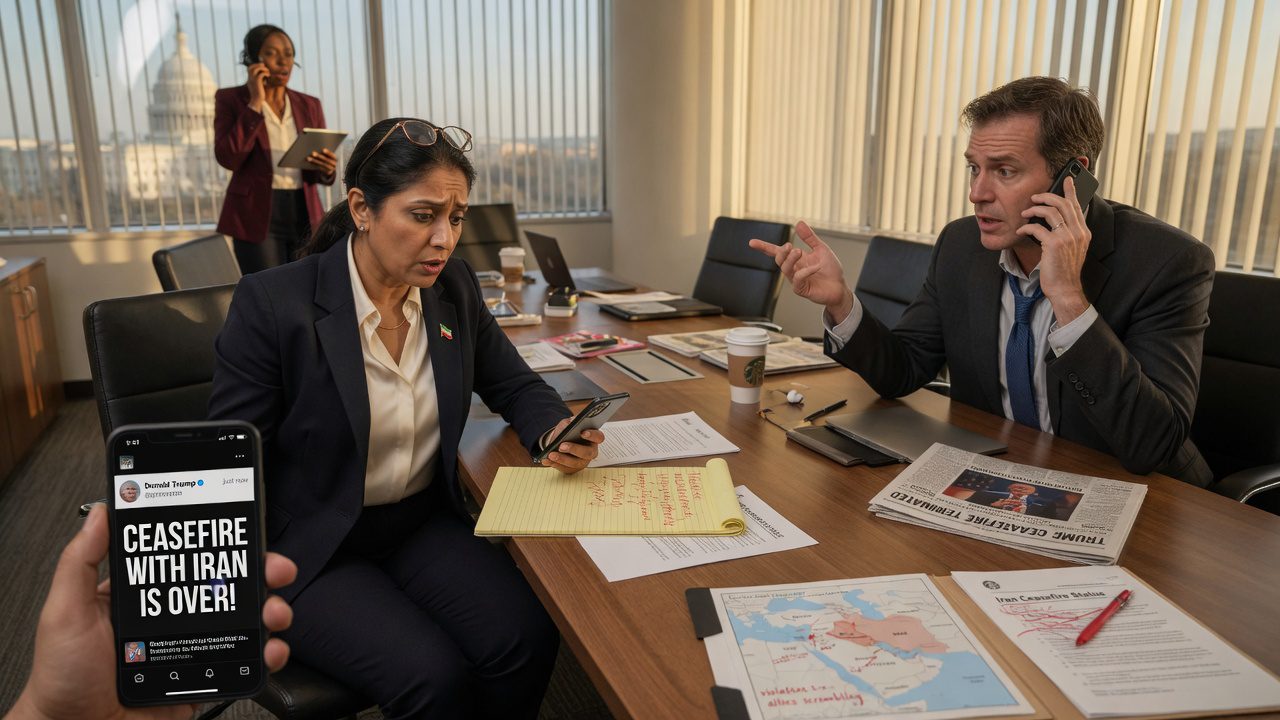
  • Why the US-Iran Peace Talks Feel Like a 3 AM Prod Deploy

    Why the US-Iran Peace Talks Feel Like a 3 AM Prod Deploy

    When JD Vance recently compared international negotiations to the Super Bowl, enterprise IT professionals everywhere collectively scoffed. We know what high stakes really look like: a 3 AM production deployment on a fragile legacy system.

    Let’s look at the current geopolitical landscape. The ongoing US Iran peace talks are incredibly complex, and when you route the diplomatic traffic through intermediaries like Pakistan, the network latency of international relations goes through the roof. It is the geopolitical equivalent of trying to hot-swap a master database while the global user base is actively running queries.

    The Global Outage Protocol

    In both international diplomacy and enterprise IT, the symptoms of an impending crash are strikingly similar. You are dealing with legacy code (historical agreements), undocumented APIs (backchannel communications), and way too many stakeholders holding admin credentials. The troubleshooting process is a chaotic blend of hope and caffeine.

    • Stakeholder Alignment: Just like a project manager asking if we can “simply roll back” a massive data migration, diplomats are essentially looking for a Ctrl+Z on decades of geopolitical technical debt.
    • Packet Loss: Sending a diplomatic message from Washington to Tehran via Islamabad is basically dealing with extreme packet loss. You just pray the diplomatic payload arrives intact without a critical timeout error.
    • The PagerDuty Alert: When a primary node stops responding, you escalate. In IT, you wake up the senior DevOps lead. In diplomacy, you schedule an emergency summit and hope nobody pushes to production on a Friday.

    Waiting for the Green Build

    Whether you are analyzing the nuanced US Iran peace talks Pakistan dynamic or just trying to get a rogue microservice to authenticate, the ultimate goal is identical: keep the system running and avoid a total outage. So, the next time you watch a high-level summit on the news, just imagine the diplomats chugging stale coffee in a windowless war room, staring at a blinking terminal screen, and praying their latest patch deploys successfully.